
When authors imagine their finished book, they usually picture the front cover. It’s the part readers notice first, so it’s natural to spend most of the design time perfecting it. However, a professional book cover is made up of three equally important sections: the front cover, the spine, and the back cover.
Whether you’re creating your own design or working with a publisher, understanding how these elements fit together is essential. Using a book spine design template, a back cover PSD template, or complete book cover templates PSD helps ensure every part of your cover is aligned, balanced, and ready for print.
A Great Book Cover Is More Than Just the Front
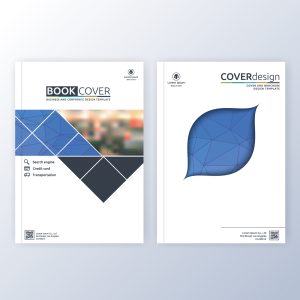 Think of your book cover as a complete package rather than three separate pieces.
The front cover attracts attention.
The spine helps readers identify the book when it’s displayed on a shelf.
The back cover provides the information readers need before deciding to make a purchase.
If one section looks unfinished or poorly designed, it can affect the overall appearance of the entire book.
Start With the Book’s Final Specifications
Before opening Photoshop or downloading a template, make sure you know the final details of your book.
These include:
- Trim size
- Total page count
- Paper type
- Binding style
These specifications determine the width of the spine and the overall dimensions of the cover.
A professional book spine design template is created using these measurements, helping ensure every element is positioned correctly once the book is printed.
Designing the Front Cover
The front cover is your opportunity to make a strong first impression.
When planning the layout, ask yourself:
- Is the title easy to read?
- Does the imagery match the genre?
- Will the design still stand out as a small online thumbnail?
Avoid filling every available space. A clean, balanced design often creates a stronger visual impact than one crowded with text and graphics.
Don’t Overlook the Spine
Many first-time authors treat the spine as an afterthought, but it’s one of the most visible parts of a printed book.
A properly designed spine should include:
- The book title
- Author name
- Publisher logo (if applicable)
Using a book spine design template ensures these elements remain centered and readable regardless of the book’s thickness.
A well-designed spine also gives your book a more polished appearance when displayed in bookstores, libraries, or personal collections.
Building an Effective Back Cover
The back cover answers one simple question:
Why should someone read this book?
A professional back cover PSD template provides enough space to organize important information without making the layout feel cluttered.
Most back covers include:
- A compelling book summary
- A short author biography
- ISBN barcode
- Publisher details
- Optional testimonials or endorsements
Arrange these elements so the reader’s eye naturally moves from the description to the author information.
Why Authors Use Book Cover Templates PSD
Professional book cover templates PSD simplify the entire design process by combining the front cover, spine, and back cover into one editable file.
Instead of guessing measurements, authors can focus on creativity while working within accurate print specifications.
Benefits include:
- Consistent alignment across the entire cover
- Editable Photoshop layers
- Correct bleed and trim areas
- Faster design workflow
- Better print accuracy
Templates are particularly useful for independent authors who want professional results without creating every layout from scratch.
Give Every Side of Your Book the Attention It Deserves
A memorable book cover isn’t created by focusing only on the front. The spine and back cover play an important role in helping readers recognise your book, understand its value, and feel confident about purchasing it.
At Instant Publisher, we help authors create complete, print-ready book covers that meet professional publishing standards. Whether you need assistance using book cover templates PSD, preparing a back cover PSD template, or ensuring your book spine design template is accurate, our team is here to help you publish a book that looks exceptional from every angle.
 Your book cover is one of your strongest marketing tools. In crowded online marketplaces, readers often decide within seconds whether to click on a title. A clean, attractive design helps your book stand out and communicates the genre, tone, and professionalism of your work.